الاثنين، 30 مارس 2020

NEWS TECHNOLOGIE

Value-priced is not a term typically used to describe workstation GPUs that can support visualization and VR applications. Usually, 3D-focused GPUs come to market based on impressive performance claims and a price point to match. That was certainly the case with AMD’s Radeon Pro W5700 that we reviewed recently. But now the company has provided an impressive cost-reduced version, the AMD Radeon Pro W5500, at half the price ($399). We’ve been working with an early unit, and so far are quite pleased with what it can do at a price point more typical for a mid-range gaming or entry-level CAD GPU.

AMD’s Radeon Pro W5500 By The Numbers

Like the $799 Radeon Pro W5700, the W5500 is built using AMD’s 7nm “Navi” RDNA technology and features 8GB of GDDR6 memory. It can process at up to 5.35 TFLOPS (FP32) using its 22 compute units while consuming a relatively miserly 125 watts. It also offers support for PCIe Gen 4, if you have a compatible CPU like a recent Threadripper, but of course, it will work fine in a Gen 3 system.

AMD says it is 32 percent more power-efficient than the equivalent Nvidia offering, a Quadro P2200, when running SOLIDWORKS. AMD is particularly pleased with the resulting price-performance ratio it has achieved using its RDNA architecture — which results in 25 percent higher performance per clock cycle compared with GCN — and moves to a more power-efficient 7nm technology. Its relatively-low power needs mean the W5500 served with just an additional 6-pin power connector.

The AMD Radeon Pro W5500 has remarkable specs for an inexpensive card

The AMD Radeon Pro W5500 has remarkable specs for a relatively-inexpensive card

One place where the W5500 is completely different from the W5700 is connectivity. Instead of the six mini-DisplayPort connections of the W5700, it has four DisplayPort 1.4 connections. Both configurations seem reasonable, but it does make it a little more challenging for anyone who wants to upgrade later on from a W5500 to a W5700. The W5500 can drive up to four 4K or 5K displays, or one 8K display at 60Hz.

The W5500 also supports AMD Remote Workstation Graphics support, which may be of particular interest in these days of increased working from home. It’s also VR-ready, including support for wireless VR using an HTC Vive Focus Plus. As VR-capable CAD applications increase in popularity, that is definitely a nice future-proofing feature.

Don't let the boxing gloves fool you. AMD is definitely taking the gloves off positioning the W5500 versus Nvidia's Quadro Pro 2200

Don’t let the boxing gloves fool you. AMD is definitely taking the gloves off when positioning the W5500 versus Nvidia’s Quadro Pro 2200.

As with the W5700, AMD claims its performance is ever more impressive when multi-tasking or using both the CPU and GPU. It claims as much as a 10x speedup over Nvidia’s Quadro Pro P2200 ODE when running multitasking benchmarks. The W5500’s 8GB also outshines the P2200’s 5GB. However, the P2200 is a year old, so we’d expect a Turing-based update sometime this year. As far as AMD’s own products, the W5500 a likely alternative for those who would have considered an older, 14nm, WX 5100 or entry-level WX 7100.

Impressive Application Support

AMD has done an impressive job of getting official support for the W5500, which makes sense since it is basically a lower-end version of the W5700 launched last year. The full list is too long to recite here, but they have official support from most of the favorites, including 3DS Max, Creo, blender, Maya, and so on. AMD also announced that its ProRender software now supports SOLIDWORKS Visualize 2020.

The W5500M Is on the Way for Mobile Workstations

AMD also announced the Radeon Pro W5500M mobile discrete GPU for high-end laptops and mobile workstations. It has slightly lower specs, with 4GB of graphics memory and a 10 percent lower-rated performance of 4.79 TFLOPS at FP32. Along with that comes a smaller power envelope of 85 watts. It features the same 22 compute units, and 224 Gbps memory bandwidth over a 128-bit interface. Like the desktop version, it can also drive up to four displays.

Who Should Buy a W5500?

Like the W5700, AMD doesn’t support AI development on the W5500, so you’ll need to make sure that you’re comfortable with its impressive price-performance on engineering and creative applications. If you can live with that, it’s shaping up to be an excellent product at a great price, with a generous 8GB of graphics memory. Keep in mind, though, that many design tasks are bottlenecked by the CPU, so make sure that upgrading your GPU will get you the performance you’re expecting. Note that the W5500 is taking a little longer to become widely available than AMD’s original projection of February 20th.

Now Read:


from ExtremeTechExtremeTech https://ift.tt/33Yo796

NEWS TECHNOLOGIE

The Dragon 2 capsule autonomously docking at the ISS in March 2019.

NASA’s eventual goal to send crewed missions to Mars will be easier to accomplish if we can return to the moon, but it won’t just be to visit this time. NASA intends to construct a space station in orbit of the moon called the Lunar Gateway, and SpaceX has the contract to supply that station. 

The Gateway station is still in the very early planning stages, but its position in orbit of the moon rules out many of the launch platforms currently in use. So, it’s not terribly surprising that SpaceX would get the nod as it’s the only spaceflight operator with a flight-tested rocket capable of sending large payloads to the moon. 

SpaceX says it will use the Falcon Heavy for Lunar gateway supply runs. This rocket is essentially three Falcon 9 rockets strapped together with some extra structural reinforcement on the center module. Most companies don’t need the super-heavy lift capabilities of the Falcon Heavy, so SpaceX has only launched a few commercial missions after the initial test flight that sent the first-ever car into outer space. 

Missions to resupply the eventual Lunar Gateway station will make use of a modified Dragon capsule. This spacecraft will have more than five metric tons of cargo capacity, an upgrade over the current Dragon capsules. The unmodified Dragon can launch with six metric tons of cargo, but only to low-Earth orbit. Unlike the current Dragon capsules that remain docked at the ISS for about a week, the modified vessels sent to the Gateway will stay there for a full year. 

While SpaceX probably could use the Dragon to move astronauts to and from the Gateway, NASA is handling that part of the Artemis program on its own. The agency has spent years working on the Space Launch System (SLS) and Orion crew capsule for deep space missions. NASA expects it will need one service mission for each crewed trip to the Gateway Station. From the station, astronauts will be able to head down to the lunar surface and return to the Gateway with relative ease. 

SpaceX has its own plans for the moon. The company’s Starship rocket and Super Heavy launch platform will have enough power to send missions to Mars and beyond. SpaceX has already committed to sending Japanese billionaire Yusaku Maezawa on a lunar orbital flight in the next few years.

Now read:


from ExtremeTechExtremeTech https://ift.tt/3bDiIqi

NEWS TECHNOLOGIE

Scientists around the world have been speculating on dark matter for decades, but we still don’t know what the mysterious substance is. It doesn’t look like that’s changing any time soon, either. A new study from University of Michigan, Lawrence Berkeley National Laboratory, and the University of California Berkeley evaluated a popular dark matter hypothesis. The team found no evidence that so-called sterile neutrinos are the key to understanding dark matter. 

Dark matter is a tricky and sometimes frustrating topic in the physics community. We know dark matter exists and that it makes up about 85 percent of the universe’s total mass. Without that unseen mass, galaxies would fly apart. However, dark matter doesn’t reflect, absorb, or transmit light. The only hints we’ve gotten about dark matter come from the way it interacts with regular matter. 

In recent years, scientists have speculated that dark matter may be connected to the neutrino, a neutrally charged particle with very little mass. However, a neutrino with any mass conflicts with the standard model of particle physics. Researchers have put forward the idea of a “sterile neutrino” that could both explain neutrino mass and be the source of all that unseen dark matter. 

The new analysis sought to find supporting evidence for the sterile neutrino in 20 years of historical data from the XMM-Newton space X-ray telescope. Based on our limited understanding of dark matter, this material collects in halos around galaxies. Rather than looking at far away objects, the team looked closer to home, attempting to confirm a 2014 observation that gave credibility to the sterile neutrino theory. 

A successful detection would have included data points along the dotted red line, but the team found none.

That 2014 study described a 3.5 keV signal from nearby galaxies that could have come from decaying sterile neutrino dark matter. For the new study, the team exploited the fact that we live inside the halo of dark matter that surrounds the Milky Way. They analyzed data from the “darkest” parts of the Milky Way in search of that same 3.5 keV signal. They didn’t find it. 

This study doesn’t necessarily mean sterile neutrinos don’t exist or that they aren’t a key source of dark matter. However, it does suggest that the scant experimental evidence for this theory doesn’t stand up to scrutiny. It’s back to the drawing board in our search for dark matter.

Now read:


from ExtremeTechExtremeTech https://ift.tt/3dHPsAu

السبت، 28 مارس 2020

NEWS TECHNOLOGIE

Western Digital’s My Passport series of external HDDs are among the most widely used models on the market today. Compared with external SSDs, these offer substantially more storage space at a far more affordable cost, but they aren’t necessarily the best-priced external drives.

Design

Western Digital designed this version of its My Passport external HDDs to be compact, pocket-sized devices with tons of storage space. These drives are available in capacities between 1 to 5TB. This review will focus on the 5TB model, but as these drives all ship with the same feature set, you can see this review as an introduction to the lower capacity models as well.

The My Passport external HDD utilizes a Micro-USB Type-B connector that runs USB 3.2 Gen1 data protocols. This connection is capable of a maximum bandwidth of 500MB/s, though the HDD itself is incapable of transferring data at this speed.

To help keep your data secure, WD provides the WD Security app that enables you to password-lock the drive using AES-256 hardware encryption.

Benchmarks

To gauge the WD My Passport 5TB’s performance, our sister site PCMag tested the drive against a handful of other external HDDs using benchmarks.

Testing with Crystal Disk showed WD My Passport to have solid performance, but the results don’t give it an advantage against the other tested drives. Its read performance was second-best among the drives, whereas the drive’s read performance was second-worst. Overall the drive’s performance was just average in this test and quite close to most of the other drives. The only notable exceptions are the WD My Passport 4TB, which was slower, and the Seagate Backup Plus Ultra Touch 2TB, which was slightly faster on average.

In PCMag’s custom folder transfer test, WD’s My Passport was able to transfer a 1.2GB folder in 12 seconds. All of the tested drivers were virtually tied in this test, though.

Conclusion

Western Digital set the My Passport 5TB with an MSRP of $149.99, but you can buy it now from Walmart for $129.99. This price isn’t unreasonable, but there are more affordable solutions available.

Seagate’s Backup Plus 5TB external HDD is just $109.99, and it offers similar features. We haven’t tested that drive to know how well it performs, but its specs indicate that it should perform similar to the WD My Passport as well. I wouldn’t go so far as to crown one of these drives over the other, but as neither holds a clear performance lead, I’d recommend watching for sales and buying whichever drive is available with the best price at the time you are shopping.

Now read:


from ExtremeTechExtremeTech https://ift.tt/2wICLF7

الجمعة، 27 مارس 2020

NEWS TECHNOLOGIE

Today there are several strong deals to be had on Dell PCs, including the company’s powerful and popular Alienware Aurora gaming desktop.

Dell Alienware Aurora Intel Core i5-9600K Gaming Desktop w/ Nvidia GeForce RTX 2070, 16GB DDR4 RAM, 256GB M.2 NVMe SSD and 1TB HDD ($1,449.99)

Dell’s Alienware Aurora pairs a fast Nvidia GeForce RTX 2060 Super graphics card with an powerful Intel Core i5-9600K processor that can be overclocked to unleash extra performance. The system also comes with a 256GB SSD, a 1TB HDD, and 16GB of DDR4 RAM. This system typically retails for $1,864.98, but you can get it from Dell for just $1,449.99.

Logitech Crayon Digital Pencil For iPad ($34.99)

This handy stylus was designed to work with Apple’s iPads and incorporates the same technology as Apple’s Pencil. With this you can easily hand write notes and draw images on your iPad, and it has a built-in battery that can last for up to seven hours. Right now you can get it from Verizon marked down from $69.99 to $34.99.

Dell Vostro 15 3590 Intel Core i7-10510U 1080p 15.6-Inch Laptop w/ 8GB DDR4 RAM and 256 M.2 NVMe SSD ($699.00)

Dell upgraded this laptop with Intel’s new 10th generation Core i5-10210U processor that has four CPU cores clocked at 1.6GHz. The system also comes with a fast NVMe SSD storage device, a 1080p display, and an AMD Radeon 610 graphics processor for running low-end games. You can get it now from Dell marked down from $1,212.86 to just $699.00.

Featured Deals

  • Alienware Aurora R8 Intel Core i5-9600K 6-core Gaming Desktop with RTX 2070, 16GB RAM, 256GB SSD + 1TB HDD for $1449.99 at Dell (list price $1864.98)
  • Price Drop: Dell Vostro 15 3590 Intel 10th-Gen Core i7-10510U Quad-core 15.6″ 1080p Laptop for $699 at Dell (list price $1212.86)
  • Logitech Crayon (For 7th Gen iPad, 3rd Gen iPad Air, 5th Gen iPad Mini) for $34.99 at Verizon (list price $69.99)
  • 14 Day Sling Blue Live TV Streaming Service Trial (For New Subscribers) at SlingTV
  • Dell XPS 8930 Intel Core i5-9400 6-core Tower Desktop with GTX 1660Ti, 256GB SSD + 1TB HDD for $949.99 at Dell (use code: 50OFF699 – list price $1209.98)
  • Dell XPS 13 7390 Intel 10th-Gen Core i5-10210U Quad-core 13.3″ 1080p Laptop + 27″ Monitor, Wireless Keyboard + Mouse, USB-C Adapter for $1069.99 at Dell (use code: 50OFF699 – list price $1457.95)
  • LaCie Rugged 5TB USB-C External Hard Drive for $152.99 at Adorama (use code: MEMORY15 – list price $189.99)
  • Samsung Galaxy S20 128GB 5G Unlocked Smartphone for $799.99 at Walmart (list price $999.99)
  • Samsung Galaxy S20+ 128GB 5G Unlocked Smartphone for $999.99 at Walmart (list price $1199.99)
  • Apple iPad Mini 7.9″ 64GB WiFi Tablet for $349.99 (256GB for $500) at Best Buy (list price $399)
  • WD Easystore 5TB USB 3.0 External Portable Hard Drive for $109.99 at Best Buy (list price $169.99)
  • Price Drop: Dell Vostro 14 3490 Intel Core i5-10210U Quad-core 14″ 1080p Laptop for $599 at Dell (list price $1041.43)
  • $30 Price Drop: Dell New Inspiron 15 5000 Intel Core i7-1065G7 Quad-core 15.6″ 1080p Laptop with 512GB SSD for $645 at Dell (use code: 50OFF699 – list price $799.99)
  • Acer Chromebook 14 Intel Atom x5-E8000 Quad-Core Processor 14″ Laptop with Protective Sleeve for $199.99 at Walmart (list price $299)
  • MSI GF75 Intel Core i5-9300H Quad-core 17.3″ 1080p Gaming Laptop with GTX 1650 for $699 at Adorama (list price $899)
  • 70″ Vizio V705-G1 V-Series 4K HDR Smart TV + $200 Dell Gift Card for $659.99 at Dell (list price $699.99)
  • 75″ Samsung UN75RU8000 4K LED Smart TV for $1049 at BuyDig (use code: SWE26 – list price $2199.99)
  • Realspace Magellan 60″ Pneumatic Height-Adjustable Standing Desk for $190 at Lenovo (use code: OFFICEDEPOT5 – list price $399.99)
  • Microsoft Factory Recertified Xbox One X 1TB Console + The Witcher 3: Wild Hunt for $229.98 at Dell (list price $349.98)
  • Free $15 Best Buy eGift Card with $100 Hulu Digital Gift Card for $100 at Best Buy

Check out more deals from TechBargains.

Apple Devices

  • New Apple MacBook Air 2020 Model Intel 10th Gen Core i3 13.3″ 2560×1600 Laptop for $999.99 at Adorama
  • New Apple iPad Pro 11-inch 128GB 11″ Tablet with A12Z Bionic Chip for $799.99 at Adorama
  • New Apple Mac Mini 2020 Model Intel 8th-Gen Core i3 Quad-core Mini Desktop for $779 at Adorama (list price $799)
  • Apple iPad Mini 7.9″ 64GB WiFi Tablet for $349.99 (256GB for $500) at Best Buy (list price $399)

More Apple Deals here.

Laptops

  • Dell XPS 13 7390 Intel 10th-Gen Core i5-10210U Quad-core 13.3″ 1080p Laptop + 27″ Monitor, Wireless Keyboard + Mouse, USB-C Adapter for $1069.99 at Dell (use code: 50OFF699 – list price $1457.95)
  • Price Drop: Dell Vostro 14 3490 Intel Core i5-10210U Quad-core 14″ 1080p Laptop for $599 at Dell (list price $1041.43)
  • Price Drop: Dell Vostro 15 3590 Intel 10th-Gen Core i7-10510U Quad-core 15.6″ 1080p Laptop for $699 at Dell (list price $1212.86)
  • $30 Price Drop: Dell New Inspiron 15 5000 Intel Core i7-1065G7 Quad-core 15.6″ 1080p Laptop with 512GB SSD for $645 at Dell (use code: 50OFF699 – list price $799.99)
  • MSI GF75 Intel Core i5-9300H Quad-core 17.3″ 1080p Gaming Laptop with GTX 1650 for $699 at Adorama (list price $899)
  • Alienware m17 Intel Core i7-9750H 6-core 17.3″ 1080p IPS Gaming Laptop with GTX 1660Ti for $1099.99 at Dell (use code: 50OFF699 – list price $1368.98)
  • Acer Chromebook 14 Intel Atom x5-E8000 Quad-Core Processor 14″ Laptop with Protective Sleeve for $199.99 at Walmart (list price $299)
  • Asus Chromebook C425 Intel m3-8100Y 14″ 1080p Laptop for $329 at Walmart (list price $449)
  • Acer Chromebook 715 Intel Core i3-8130U 15.6″ 1080p Touch Laptop for $359 at Walmart (list price $549.99)
  • ASUS VivoBook 15 AMD Ryzen 3 3200U Quad-Core 15.6″ 1080p Laptop for $309 at Walmart (list price $349)
  • Microsoft Surface Pro 7 Intel 10th Gen Core i3 12.3″ 2736×1824 Tablet with Type Cover for $599 at Best Buy (list price $959)
  • Microsoft Surface Pro 7 Intel 10th Gen Core i5 12.3″ 2736×1824 Tablet for $699.99 at Best Buy (list price $899.99)
  • Microsoft Surface Book 2 Intel Core i5-8350U Quad-core 13.5″ 3000×2000 2-in-1 Laptop for $1299 at Best Buy (list price $1499)
  • HP Spectre Folio Leather Intel Core i7-8500y 13.3″ 1080p Touch Laptop for $999.99 at Best Buy (list price $1399.99)
  • Samsung Notebook 7 Spin Intel Core i5-8250U Quad-core 13.3″ 1080p Touch 2-in-1 Laptop with 512GB SSD for $649.99 at Best Buy (list price $949.99)
  • Lenovo Ideapad S340 Intel Core i5-8265U Quad-core 15.6″ Laptop for $429 at Walmart (list price $549)
  • Lenovo Ideapad 330s AMD Ryzen 5 2500U Quad-core 15.6″ Laptop for $429 at Walmart (list price $499)
  • Acer Aspire 5 Intel Core i7-8565U Quad-core 14″ 1080p Laptop with 512GB SSD for $569 at Walmart (list price $625)
  • Acer Nitro 5 AMD Ryzen 5 2500U Quad-Core 15.6″ 1080p Gaming Laptop with Radeon RX 560X for $479 at Walmart (list price $649)
  • ASUS ImagineBook MJ401TA Intel Core m3-8100Y 14″ 1080p Laptop for $299.99 at Best Buy (list price $499.99)
  • HP 14 Intel Core i3-1005G1 Dual-Core 14″ Laptop for $299 at Walmart (list price $469)
  • Asus Q526FA Intel Core i7-8565U Quad-core 15.6″ 1080p Touch Laptop with 16GB RAM, 128GB SSD + 1TB HDD for $899.99 at Best Buy (list price $1099.99)
  • ASUS ROG Strix Intel i5-9300H 6-Core 15.6″ 1080p 120Hz Gaming Laptop with GTX 1660 Ti, 512GB SSD for $949 at Walmart (list price $1299)
  • EVOO Intel i7-9750H 6-core 15″ 1080p 144Hz Gaming Laptop with GTX 1650, 16GB RAM for $789 at Walmart (list price $1299)
  • EVOO Elite Series 14.1″ 1080p Ultra Thin Laptop with Office 365 Personal 1yr Subscription for $179 at Walmart (list price $299)
  • Motile Performance Laptop AMD Ryzen 3 14″ 1080p Laptop for $279 at Walmart (list price $599)
  • Ematic AMD A4-9120 13.3″ 1080p IPS Laptop for $129 at Walmart (list price $229.99)
  • Direkt-Tek Intel Celeron 13.3″ 1080p IPS Touch Win10 Laptop with Stylus, 1yr 365 Office Subscription for $159 at Walmart (list price $399)
  • RCA Galileo Pro 11.5″ 32GB 2-in-1 Android Tablet with Keyboard Case for $87.99 at Walmart (list price $179.99)

More Laptop Deals here.

Desktop Computers

  • Alienware Aurora R8 Intel Core i5-9600K 6-core Gaming Desktop with RTX 2070, 16GB RAM, 256GB SSD + 1TB HDD for $1449.99 at Dell (list price $1864.98)
  • Dell XPS 8930 Intel Core i5-9400 6-core Tower Desktop with GTX 1660Ti, 256GB SSD + 1TB HDD for $949.99 at Dell (use code: 50OFF699 – list price $1209.98)
  • Dell New G5 Intel Core i5-9400 6-core Gaming Desktop with GTX 1660Ti for $719.99 at Dell (use code: 50OFF699 – list price $918.99)
  • Dell Vostro 5000 Intel Core i5-9400 6-core Desktop for $649.07 at Dell (use code: SAVE35 – list price $998.57)
  • Dell Vostro Small 3470 Intel Core i7-9700 8-core Desktop for $741.92 at Dell (use code: SAVE35 – list price $1141.43)
  • Dell Inspiron 3000 Intel Core i5-9400 6-core Desktop with 16GB Intel Optane for $549.99 at Dell (list price $654.98)
  • Dell Inspiron Small 3000 Intel Core i3-9100 Quad-core Compact Desktop for $379.99 at Dell (list price $454.98)
  • Dell OptiPlex 3070 Micro Intel Core i5-9500T 6-core Ultra Compact PC for $621.21 at Dell (use code: SAVE35 – list price $941.43)
  • CyberpowerPC Gamer Xtreme Intel i5-9400F 6-Core Gaming PC with RTX 2060 for $849 at Walmart (list price $1069.99)
  • CyberpowerPC Gamer Supreme AMD Ryzen 9 3900X 12-Core Liquid Cooled PC with RTX 2080 Ti for $1999 at Walmart (list price $2449.99)

More Desktop PC Deals here.

Monitors

  • Dell U4320Q UltraSharp 43″ 3840×2160 4K USB-C IPS Monitor for $879.99 at Dell (list price $1099.99)
  • Samsung CF39M 32″ 1080p Curved LED Monitor for $199.99 at Walmart (list price $249.99)

More Monitor Deals here.

TVs & Home Entertainment

More TV Deals here.

PC Accessories

  • Logitech Crayon (For 7th Gen iPad, 3rd Gen iPad Air, 5th Gen iPad Mini) for $34.99 at Verizon (list price $69.99)
  • Lexmark C2425w Color Duplex Laser Printer + $25 Dell Gift Card for $154.98 at Dell (list price $299)
  • Epson WorkForce Pro WF-3720 Wireless All-in-One Inkjet Printer for $79.99 at Best Buy (list price $149.99)
  • HP Envy 5055 Wireless All-in-One Photo Printer for $59.99 at Best Buy (list price $129.99)
  • Logitech MX Anywhere 2S Wireless Mouse for $40 at Best Buy (Buy with Laptop for Discount – list price $79.99)
  • Microsoft Wireless Comfort Desktop 5050 Keyboard and Mouse for $54.99 at Best Buy (list price $69.99)
  • APC BE425M 425VA 6-Outlet UPS Battery Backup Surge Protector for $44.99 at Walmart (list price $49.99)
  • Realspace Magellan 60″ Pneumatic Height-Adjustable Standing Desk for $190 at Lenovo (use code: OFFICEDEPOT5 – list price $399.99)
  • Arozzi Arena Leggero 45″ x 28″ Gaming Desk for $199.98 at Walmart (list price $299.99)

More PC Accessory Deals here.

PC Components, Networking and Storage

  • LaCie Rugged 5TB USB-C External Hard Drive for $152.99 at Adorama (use code: MEMORY15 – list price $189.99)
  • WD Easystore 5TB USB 3.0 External Portable Hard Drive for $109.99 at Best Buy (list price $169.99)
  • Google Nest AC2200 Mesh WiFi Router (Router + Extender) for $199 at Best Buy (list price $269)
  • Google Nest AC2200 Mesh WiFi Router (Router + 2 Extenders) for $299 at Best Buy (list price $349)
  • Netgear Nighthawk AX4 AX3000 4-Stream 802.11ax WiFi 6 Router for $109 at Walmart (list price $199)
  • Jetstream AC3000 Tri-Band Full Gigabit WiFi Gaming Router for $79.99 at Walmart (list price $129)
  • TP-Link Archer AX1500 WiFi 6 Dual-Band Wireless Router for $69.99 at Walmart (list price $79.99)
  • AMD Ryzen 5 2600 6-Core Processor with Wraith Stealth Cooler for $124.99 at Walmart (list price $199)
  • AMD Ryzen 5 3600X 6-Core Desktop Processor with Wraith Spire Cooler for $199 at Walmart (list price $249)
  • AMD Ryzen 7 3700X 8-Core Processor with Wraith Prism LED Cooler for $298.99 at Walmart (list price $329)
  • AMD Ryzen 9 3900X 12-Core Processor with Wraith Prism LED Cooler for $418.89 at Walmart (list price $499)

More Storage, Networking, and Components Deals.

Smartphones

  • Samsung Galaxy S20 128GB 5G Unlocked Smartphone for $799.99 at Walmart (list price $999.99)
  • Samsung Galaxy S20+ 128GB 5G Unlocked Smartphone for $999.99 at Walmart (list price $1199.99)
  • Samsung Galaxy S10+ 128GB Unlocked Smartphone for $699.99 at Walmart (list price $849.99)
  • Google Pixel 3a 64GB Unlocked Smartphone for $299.99 at Walmart (list price $399)

More Smartphone Deals here.

Electronics

More Electronics & Tech Deals here.

Headphones, Speakers and Audio

  • Beats Studio3 Noise Cancelling Wireless Over-Ear Headphones for $199.99 at Best Buy (list price $349.99)
  • Powerbeats3 Wireless Earphones with Apple W1 Chip for $89.99 at Best Buy (list price $199.95)
  • Logitech Z623 THX-Certified 2.1ch 200W Home Speaker System for $99.99 at Best Buy (list price $149.99)
  • Ultimate Ears MEGABOOM Bluetooth Wireless Speaker for $79.99 at Dell (list price $249.99)
  • Bose SoundTouch 10 Wireless Speaker for $140 at Walmart (list price $199)

More Headphones, Speakers and Audio Deals here.

Tools & Home Improvement, Kitchen Gadgets, and more

More Home Deals here.


Note: Terms and conditions apply. See the relevant retail sites for more information. For more great deals, go to our partners at TechBargains.com.

Now read:


from ExtremeTechExtremeTech https://ift.tt/2QSB2E1

NEWS TECHNOLOGIE

If you’ve been thinking about upgrading to a new desktop computer, laptop or Chromebook, but now you’re concerned about spending money in our increasingly uncertain world…trust us, we get it.

However, there’s a simple word that might help make it a little easier for you: refurbished. Actually, two words would probably make it even easier: certified refurbished.

Tech manufacturers and third-party brands alike constantly get returned items that work to factory specs but took the depreciation hit when they were taken out of the box. So they give these units a complete inspection, certify they’re 100 percent in working order and sell them at usually hundreds, or even thousands off their original sticker price.

As such, picking up a certified refurbished device is a great way to save some money, plus shopping refurbished also means you’ll be keeping one more device out of a landfill in the near future, which is tremendously important given the world’s growing e-waste problem.

So, it’s your lucky day, wallet watchers. Check out 20 certified refurbished, desktops, laptops and Chromebooks right now, each at up to $1,900 off. You’re welcome.

Towers and Desktops

For you old-schoolers more concerned with power and performance than portability, it’s good to be you — because you can nab a powerful desktop tower at an amazing value today.

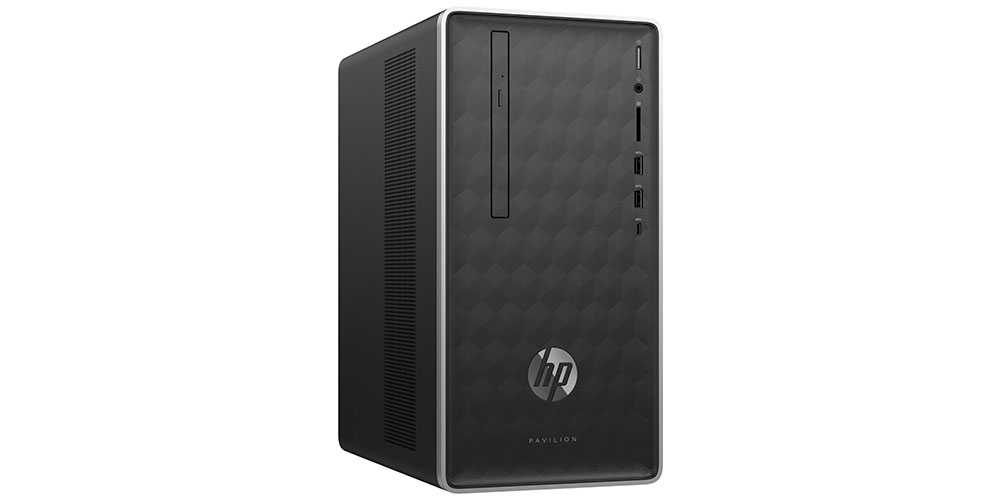
With the HP Pavilion AMD ($389.99; originally $649.99), you get a trusted brand name rig hoisting a respectable set of features, including an AMD Ryzen 5 processor, a Radeon RX Vega 11 Graphics card, 8GB of RAM, and a 2TB hard drive, all for under $400. Or you can check out this 2018 Dell Precision T3420 SFF Desktop ($439; originally $699.99), with its 6th Gen Intel Core i3 processor driving it on to fast, lag-free performance. Hook either of these models up to a monitor, mouse, and keyboard and you’re ready to go at a super low price.

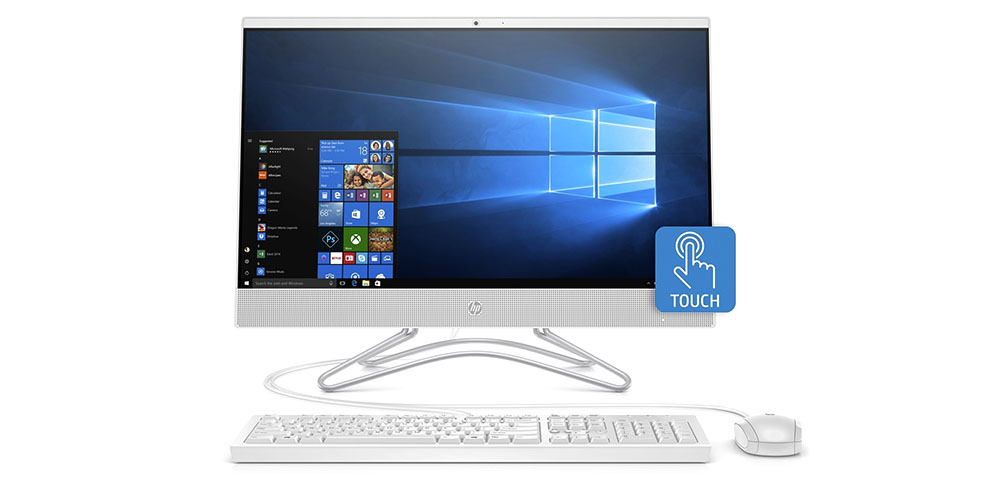
Of course, if you’re in the market for a system that comes with its own display, the HP 24″ All-in-One Touchscreen Desktop AMD ($499.99; originally $699.99) has the horses (a speedy AMD Ryzen 3 processor, Radeon integrated graphics, 8GB RAM, 1TB HDD) as well as a huge 23.8-inch FHD touchscreen display. It’s all packed in a tiny footprint that won’t clutter your desk but will still offer an immersive viewing experience.

HP laptops

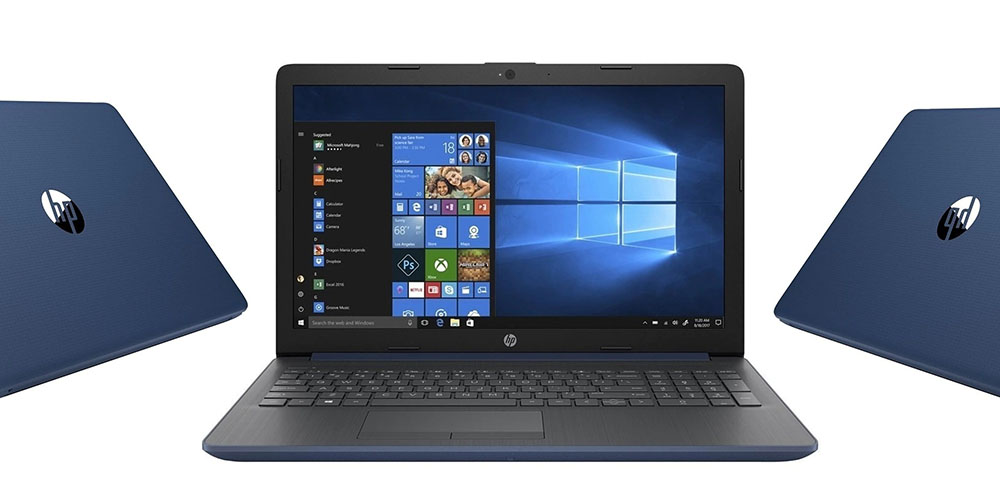
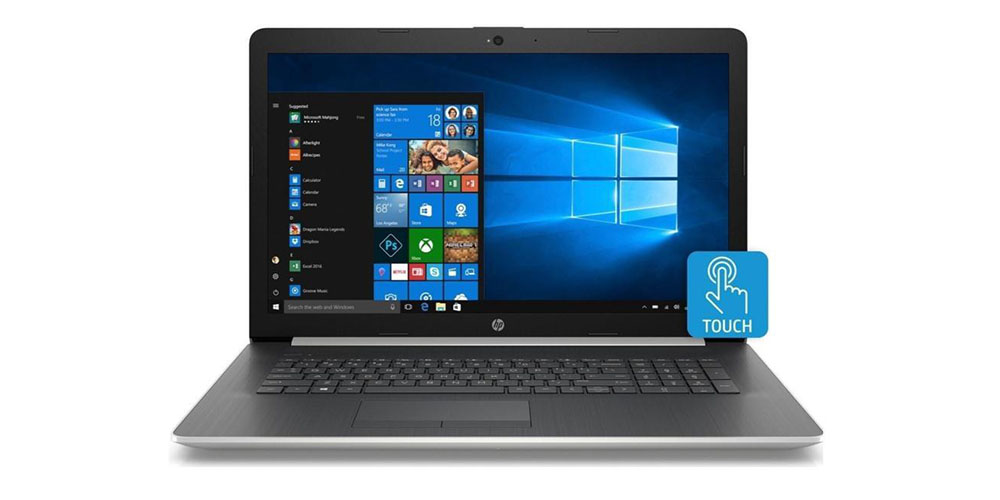
More portable than a desktop and with more computing power than a tablet or smartphone, the laptop remains a true warrior for those who need high-end performance on the go. The HP 15.3″ Touch ($419.99; originally $999.99) can tackle all of your digital tasks, often at once. The Windows 10 OS has all the built-in security you need to consider as well as a long-lasting battery that runs up to 8 hours on a charge.

Meanwhile, the HP Pavilion x360 ($449.99; originally $599.99) has some tricks of its own, equally nimble for both productivity and entertainment. In support of its worthy Quad-Core AMD Ryzen 5 processor, this unit also features an HD edge-to-edge display for brilliant images and a 360-degree flip design for personalized comfort.

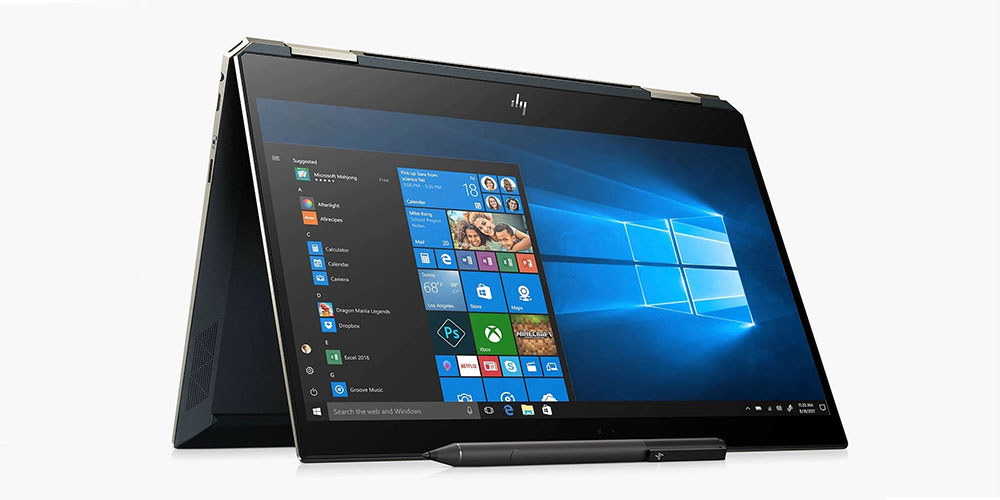
Finally, HP’s Spectre line has long been one of the company’s premium laptop options — and you can choose between a pair here. You can go with the 13-inch HP Spectre x360 ($1,099.99; originally $1,299.99) or the 15-inch HP Spectre x360 ($1,249.99; originally $1,699.99). In both cases, you get a smoking 8th Gen Intel Core i7 processor, an ultra-crisp micro-edge display and more than enough firepower to take down any project with relative ease.

HP Chromebooks

Chromebooks are based entirely around the Google Chrome browser and mostly stick to web-based work. But considering how much of everybody’s computing experience revolves around the web now, you may find it’s more than enough for all the surfing, emailing and other tasks you need to get done.

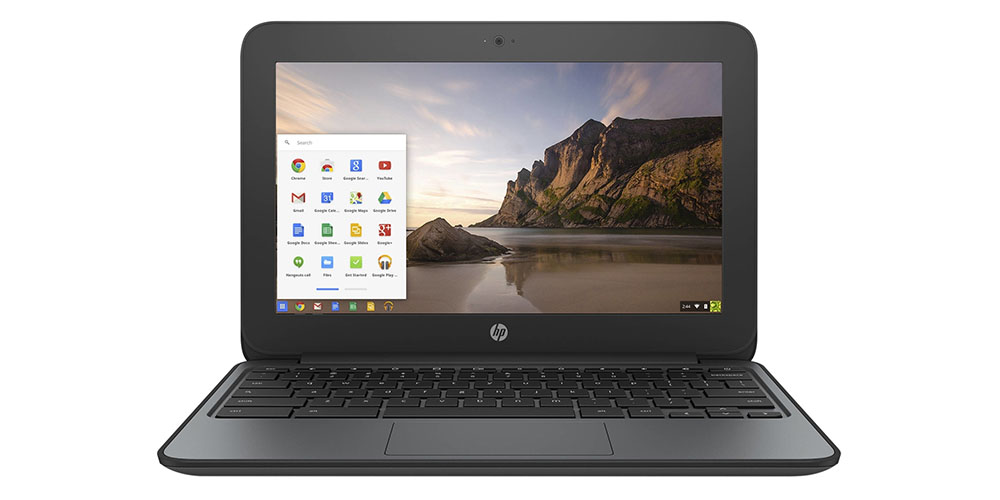
The HP G4 EE 11.6″ Chromebook ($84.99; originally $249.99) and the HP G4 11.6″ Chromebook ($109.99; originally $219.99) both run on an Intel Celeron N2840 chip, have built-in WiFi and Bluetooth capability and can comfortably switch through multiple apps. The Education Edition (EE) essentially comes with added rubber edges and extra durability, just in case you’re prone to device-related accidents.

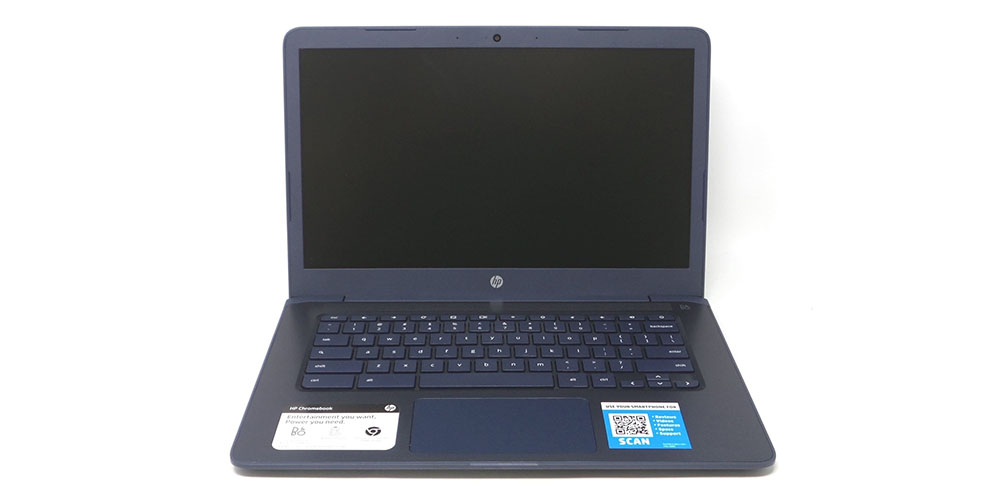
If you’re looking for a Chromebook with a bigger display, there’s also an HP Chromebook with a 14-inch screen ($174.99; originally $250) that also features a B&O sound system for prime audio performance for all those YouTube videos and other web multimedia you’ll be watching.

Other Chromebooks

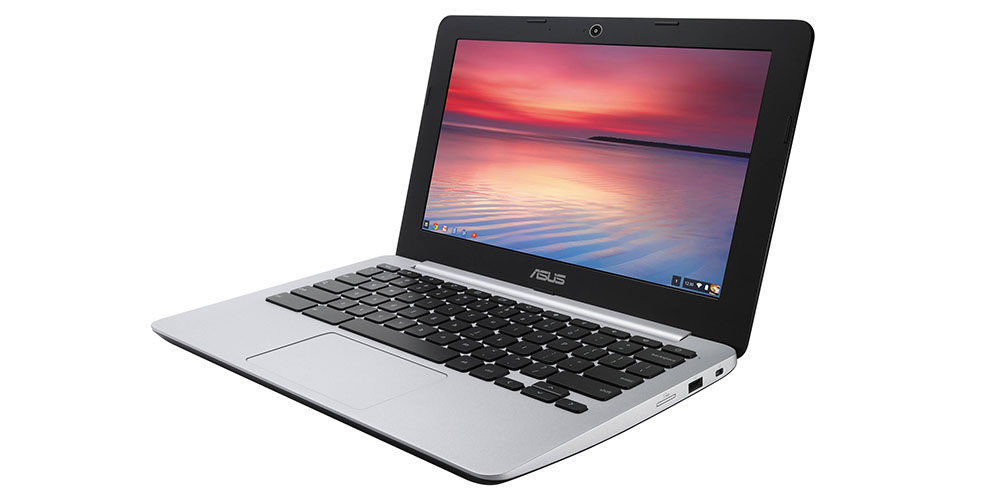
Of course, HP is the only name in town when it comes to Chromebooks. If you’re looking for the best deal in the bunch, you can save over $300 off the price of the ASUS Chromebook C200 ($84.99; originally $399.99), which delivers smooth, responsive performance, all in a package less than an inch thick for easy transporting

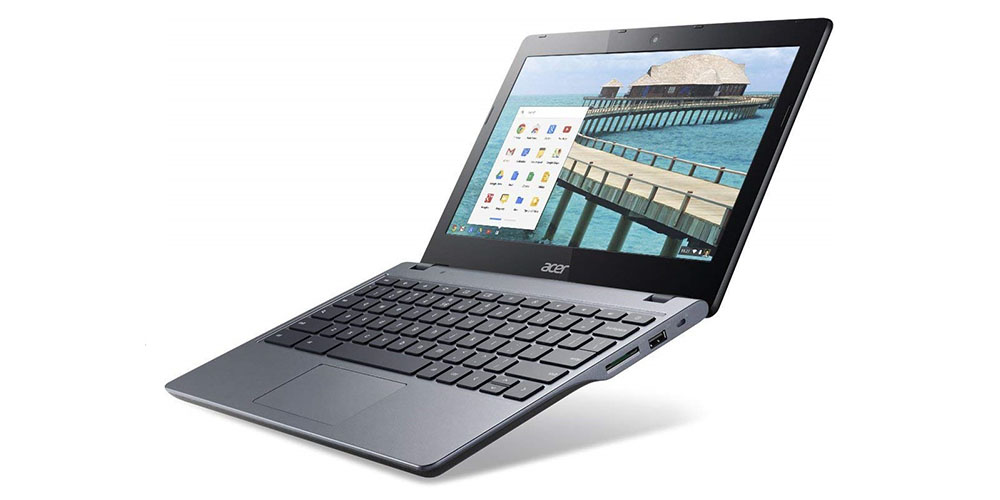
Seamless browsing, fast boot-ups, Google-integrated apps, and hassle-free maintenance are the calling cards of the Acer C720P ($99.99; originally $299), which is powered by a dual-core 1.4GHz Intel Celeron processor that’s also touch-enabled for an incredible balance of speed and performance.

There are also a pair of Dell Chromebooks worth investigating, including the 3120 Celeron N2840 ($84.99; originally $180) with innovative features, superior durability, and impressive 10-hour battery life; or the 5190 Celeron N3450 ($199.99; originally $249.99) with a rugged design and a generous 11.6-inch touchscreen that’s wide enough to give everyone a clear view of the action.

Microsoft Surface

Finally, if you want a Microsoft Surface…well, that still doesn’t really boil it down, does it? You need to decide if you want the standard Surface (basically, a laptop), a Surface Book (a laptop-tablet hybrid), or a Surface Pro (a more traditional tablet).

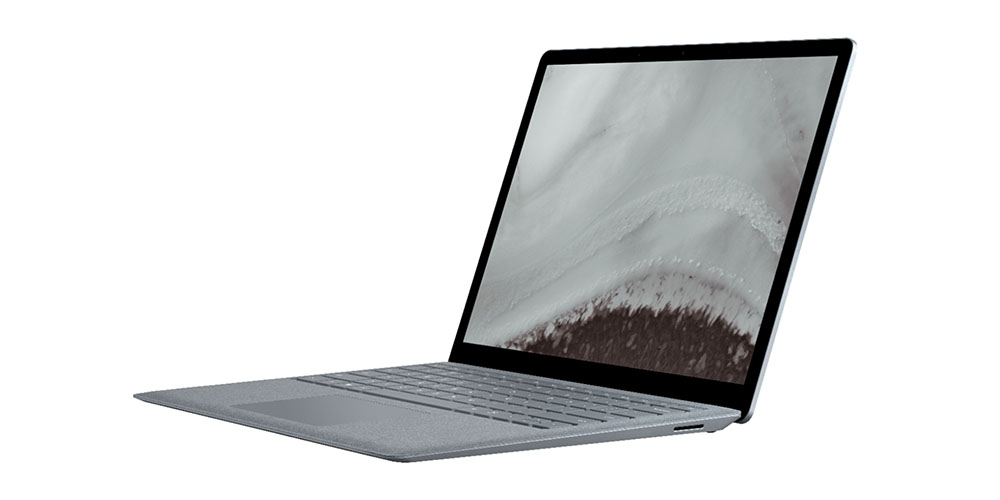
If you’re a laptop fan, either the Surface ($1,448.95; originally $2,499.99) or its successor, the Surface 2  ($1,509; originally $2,499.99) both get the job done with their Intel Core i7 processors, 512GB hard drives and 13.5-inch displays.

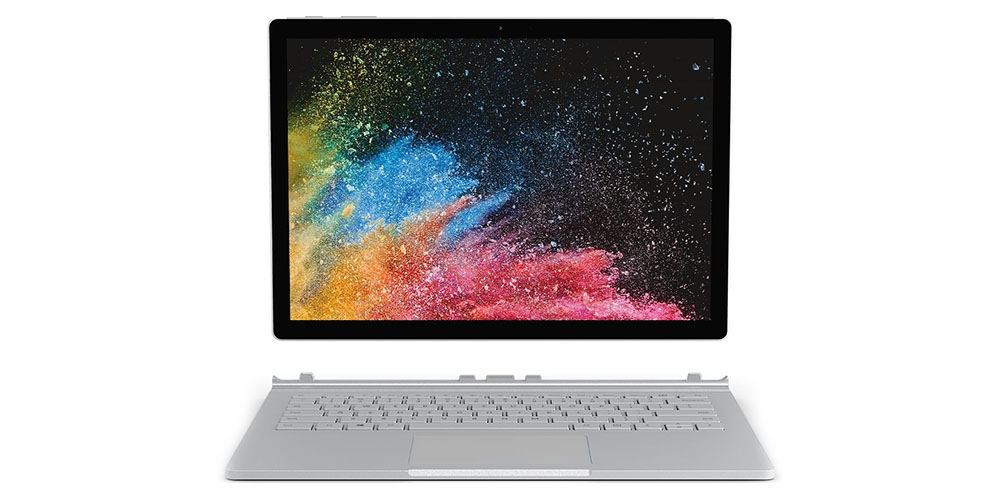
If your usage shifts pretty regularly between sit-down computing and more on-the-move work, this Surface Book model should serve your needs. You can get a factory recertified one with 256GB of storage space ($1,109; originally $2,499.99) for a steal today.

There’s also a versatile choice on the table in the Surface Book 2 ($1,100.99; originally $1,499.99), with an Intel quad-core Core i5 processor, a rock solid Surface pen for drawing that feels almost like using a sheet of paper and four different usage modes.

And if you’re a dedicated tablet user, you should probably consider the Surface Pro 4 ($912.99; originally $1,699.99) that packs all the performance of a laptop in a more portable tablet package. It features a multi-position kickstand, so you can work or play comfortably at your desk, couch, or just about anywhere hands-free, as well as a 12.3-inch PixelSense Display that renders all your video, images and more in stunning detail.

Note: Terms and conditions apply. See the relevant retail sites for more information. For more great deals, go to our partners at TechBargains.com.

Now read:


from ExtremeTechExtremeTech https://ift.tt/39pewZU

NEWS TECHNOLOGIE

New York City is preparing for the worst and hospitals are exploring options to support more patients in critical condition than they’ve ever had to handle before. One option that is getting a lot of press is the idea of ventilator sharing, or configuring one machine to handle two or more patients simultaneously by splitting it.

“We’re doing something that hasn’t really ever been done before,” Dr. Jeremy Beitler, a pulmonary disease specialist at New York-Presbyterian/Columbia told the New York Times. “Now is the time to do it.”

New York State has approved the new method for dual-patient support on a single ventilator, while the FDA has granted approval to use a device named VESPer, which can support up to four patients simultaneously.

Why Can’t Everybody Share?

Here’s the problem with attempting to split one ventilator between patients: Because the machine isn’t designed for this method of function, the modifications debuted to-date use valve splitters and T-tubing to connect 2-4 patients to the same system. But ventilators do not simply push air in and out — they are carefully calibrated to the needs of the specific individual and their medical situation. Air pressure settings may be different for each individual patient in a way the ventilator can’t properly support. Furthermore, there’s a risk that a pathogen living in one patient’s lungs could contaminate the system and be inhaled by other patients. All mechanical equipment is subject to failure risk, including ventilators, and if every ventilator is hooked up to 2-4 people, a single point of failure now risks killing 2-4x more people.

In an ordinary situation, we would assume that this risk could be mitigated by deploying another ventilator. But we’re heading into a crisis in which literally every ventilator is expected to be spoken for. Equipment failure won’t just mean a bad few minutes; it could kill all of the people attached to the system. As this isn’t a normal situation, we need to explore every option to mitigate the disaster that’s hitting the New York City hospital system and possibly points beyond in the near future. America is now the epicenter of the world epidemic.

An estimated additional 87,000 hospital beds and 40,000 ICU beds are estimated to be necessary to deal with increased coronavirus demand in NYS alone. To date, 138,376 people have been tested state-wide, with 44,635 cases active in NYS. (By the time you read this, the numbers will probably have changed, but I’m pulling data from Worldometers.)

Not Everyone Agrees With New Measures

There are real concerns that attempting to split ventilators will result in 2-4 patients receiving subpar therapy rather than one person receiving a life-saving machine. The American Association of Anesthesiologists opposes ventilator sharing, writing:

The physiology of patients with COVID‐19‐onset acute respiratory distress syndrome (ARDS) is complex. Even in ideal circumstances, ventilating a single patient with ARDS and nonhomogenous lung disease is difficult and is associated with a 40%‐60% mortality rate. Attempting to ventilate multiple patients with COVID‐19, given the issues described here, could lead to poor outcomes and high mortality rates for all patients cohorted. In accordance with the exceedingly difficult, but not uncommon, triage decisions often made in medical crises, it is better to purpose the ventilator to the patient most likely to benefit than fail to prevent, or even cause, the demise of multiple patients.

The ASA writes that ventilator sharing should not be implemented “while any clinically proven, safe, and reliable therapy remains available.”

Whether you believe Covid-19 is a serious threat to you or not, take a moment to consider the astounding nature of that paragraph. These are the decisions doctors are forced to make when operating in conditions that we, fortunately, have all but banished from our day-to-day lives. We do not live in a society where it is regularly necessary for medical professionals to prioritize their treatments according to who they have the best chance of saving, as opposed to what is most likely to help the individual.

The reason we use the term “triage” for this process is because during battle, patients are divided into three categories:

  1. Those who are likely to live, regardless of received care.
  2. Those who are unlikely to live, regardless received care.
  3. Those who might live if immediately treated.

The third category is obviously the ugliest, and this is what physicians across America are now grappling with. It’s comparatively easy to isolate those who either clearly will or clearly won’t live. The question is, is it better to try to save 2-4 people with a machine that’s not intended to do so, thereby risking all of them, or to focus maximum survivability on a smaller group of patients?

Even if there is a right answer from a utilitarian perspective, there’s no way to know the answer before thousands of people die one way or the other:

Covid-Case-Growth

The most dangerous idea about this epidemic is that no one will be impacted in a serious way if we reopen the economy and send everyone back to work:

  • March 2: 100 cases in the United States
  • March 10: ~1,000 cases in the US (994, technically, but March 11 is 1,301)
  • March 18: ~10,000 cases in the US (9,197, but March 19 is 13,779)
  • March 27: ~100,000 cases in the United States (96,920 as of this writing).

This is the rate of increase across the United States today. Given the incubation period, we might start to see the impact of social distancing in states that adopted it early in the next 7-10 days. But the rising caseload in other states will almost certainly offset it. We are averaging eight days per 10x increase in cases.

I don’t know how quickly the pandemic will continue to grow. Hopefully, social distancing will begin to take effect. But these are the decisions doctors are already grappling with as the pandemic spreads across the country.

Top image credit: NIH

Now Read:


from ExtremeTechExtremeTech https://ift.tt/2yfHpef